[ Conversion ]
Website Getting Traffic But No Sales?
5.0 on Google

A website getting traffic but no sales has one of five leaks: it attracts the wrong visitors, it fails to earn trust, it makes the next step too hard, it never clearly asks for the next step, or something basic is broken. Every case I have audited lands in one of those five buckets. This article shows you how to find your bucket, what each fix involves, and what the leak is costing you in the meantime.
Take the strange comfort in what this problem proves before we fix it: your marketing works. People are finding you and clicking through. That is the expensive half of the job done, and it is why a business with traffic and no sales is closer to winning than a business with neither.
What Should Your Website Actually Convert?
Numbers first, so you know whether you have a real problem. For most small business websites, a workable benchmark is 2% to 3% of visitors taking the next step, whether that is an enquiry, a booking or a purchase. The maths on that gap is worth doing slowly, because it is the whole argument for fixing it:
- 500 visitors a month converting at 1% is 5 enquiries
- The same 500 visitors at 3% is 15 enquiries, from the same traffic and the same marketing spend
- If an average job is worth $400 and you win half your enquiries, that is the difference between $1,000 and $3,000 a month, or $24,000 a year, without one extra visitor
That is why the rest of this article exists.
Now, the five leaks, in the order I check them. (When you reach the end, a calculator is waiting to run this maths on your own numbers.)
Leak 1: Are They Even the Right Visitors?
Before blaming the website, check who is arriving. Open Google Analytics and look at three things: where visitors come from, which pages they land on, and how quickly they leave. If you sell landscaping on the Mid North Coast and half your visitors are overseas, or they arrive on a blog post and never touch a service page, you have an intent problem rather than a conversion problem. Those visitors were never going to buy.
There is a version of this in online retail too. The Baymard Institute's abandonment research found 42% of US online shoppers have abandoned a cart simply because, in their words, "I was just browsing / not ready to buy". Some of your traffic is window shopping and always will be. The question is whether the buyers hiding inside that traffic are being converted, which is what the next four leaks decide.
Leak 2: Is the Site Earning Trust?
Visitors run a quiet checklist the moment they land: does this look current, is this a real business, can I see who is behind it, what do others say, what does it cost? Every unanswered question is a small leak, and they compound. In Baymard's survey of why people abandon purchases, 19% said they didn't trust the site with their credit card details. For a service business the same instinct shows up as a form that never gets filled in.
The trust signals that matter are mostly free:
- Real reviews or testimonials placed near the buying decision, not hidden on their own page
- Your actual face and name, because anonymous businesses feel riskier than they are
- Prices published openly, since hidden prices make people assume the worst
- Straight answers to the questions buyers actually have, including the awkward ones
I have written before about why design itself is a trust signal, and it is, but copy the order of operations from this list first. A dated site with real reviews and published prices outperforms a beautiful site that hides everything.
Leak 3: How Hard Is the Next Step?
Now walk your own enquiry path on your phone, counting every tap and every form field between "I'm interested" and "done". This is where an astonishing amount of money quietly dies. Across 50 studies, Baymard's continuously updated average puts online cart abandonment at 70.22% (last updated September 2025), and among the fixable reasons, 18% of shoppers abandoned because the site wanted them to create an account and 17% because the checkout was too long or complicated.
Service businesses catch the same disease in a different body: contact forms with eight required fields, phone numbers buried two pages deep, enquiry buttons that vanish on mobile. And mobile is at least half the event now, carrying 49.36% of global web traffic against desktop's 49.11% in Statcounter's August 2026 data. The test is blunt: would you fill in your own contact form, on your own phone, standing in a queue? Mine asks for a name, an email and a message, because replying requires nothing else.
Here is what that leak looks like on a real site. A cattery client of mine came to me with a website Google was already showing to the right people, and a booking path that undid the work: hand-built forms of forty to seventy fields that took money before anyone knew whether the dates were even available, a confirmation typed up by hand as much as forty-eight hours later, and a non-refundable fee attached to the wait. Above those forms, the suites were priced at $49, $39 and $29 on the homepage and $52, $42 and $32 on the suite pages themselves. That is Leak 2 and Leak 3 on the one site, and the visitors never diagnosed either; they simply left. The page-by-page audit that found both is why the rebuild now under way takes a short request instead, and promises a reply within one business day.
Leak 4: Did You Actually Ask?
Some websites explain beautifully and never ask for anything. Every important page needs one clear next step, stated plainly: get a quote, book a call, check your score. One, not five, because a visitor handed five equal options usually takes the sixth and leaves. The page a visitor lands on also has to deliver what the click promised. If your ad or post says "kitchen renovations" and the click lands on a generic homepage, the mismatch alone loses them before a word gets read. What that first screen should say, in what order, is in how to write website copy people actually read.
Leak 5: Is Something Quietly Broken?
The unglamorous leak, and more common than anyone admits. The form that does not send. The site that takes eight seconds on mobile data (here's what a good website loading speed is). The wrong phone number, live since the move. In Baymard's abandonment survey, 17% of shoppers walked away because the website had errors or crashed. A broken form is the cruellest version because it loses the exact people who had already decided to buy. Send yourself an enquiry from your own phone this week. You would be amazed what that one test finds.
The Five Leaks Side by Side
| Leak | The tell | The first fix | Typical cost |
|---|---|---|---|
| Wrong visitors | Traffic lands on the wrong pages and leaves fast | Re-aim keywords and marketing targeting | Time, not money |
| Weak trust | Visits but few enquiries, no reviews visible, hidden prices | Reviews near the decision, your face, published prices | Free to cheap |
| Too much friction | Long forms, buried phone number, clunky mobile checkout | Cut the form to what a reply needs | An afternoon |
| No clear ask | Pages explain but never invite the next step | One plain call to action per page | An afternoon |
| Broken basics | Silent form, slow load, errors on mobile | Test your own site on your own phone | Free to find, small to fix |
That is the diagnosis. Before you pick a fix, it is worth knowing what your own leak is costing you, so here is the maths from the top of the article with your numbers in it.
[ YOUR NUMBERS, NOT MINE ]
Run the leak maths on your own website
LEAKING SITE · 1%
$1,000/mo
5 enquiries, ~3 jobs won
FIXED SITE · 3%
$3,000/mo
15 enquiries, ~8 jobs won
Same visitors, same marketing spend, $24,000 a year apart.
Assumes you win half the enquiries, like the worked example above. Slide it to your real numbers.
How to Find Your Leak This Week
The free version: sit someone who has never used your website in front of it, ask them to enquire or buy, and say nothing while they try. Where they hesitate, squint or scroll backwards is where your money is leaking. Then open your analytics and find the page where most visitors give up. Between those two tests, most owners spot the culprit within an hour.
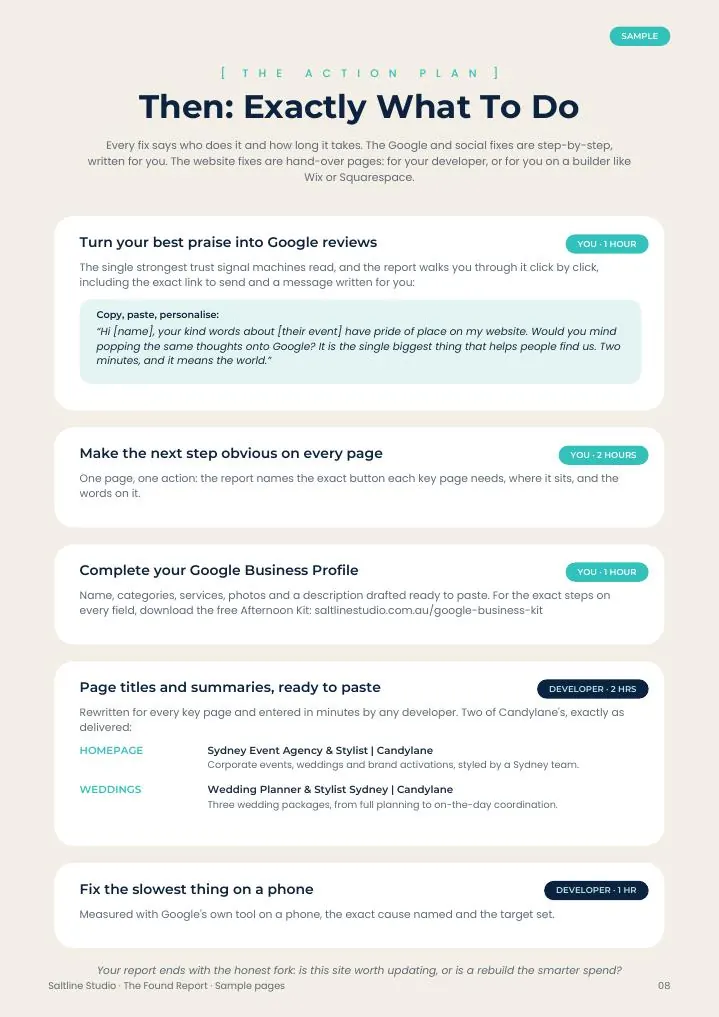
The done-for-you version, for owners who would rather know than guess: The Found Report checks all five leak points one by one across everything you own online, your homepage and key money pages, your Google Business Profile, your socials, your speed, and whether the AI assistants recommend you. You get a score out of 100, plus a fix list in priority order, each fix tagged by what it is costing you right now. $550 flat, two business days, priced on the page like everything I sell. Not ready for that? The free Found Score takes two minutes and gives you an honest starting point, no email required.
One caution before you spend anything, including with me: do not rebuild in the dark. A redesigned website with the same five leaks converts exactly the same, just in nicer clothes, and a rebuild starts at thousands while most leak fixes cost an afternoon. If you are weighing that exact decision, my website design cost guide covers when a rebuild is and is not the answer. Built it with an AI website builder? The same rule holds, and The Full Picture will tell you page by page whether the fix or the rebuild is the better spend. Diagnose first. The visitors are already coming; that part you have won.
Frequently Asked Questions
What percentage of website visitors should convert into enquiries or sales?
Is my website design the reason nobody is buying?
I rank well on Google but get no enquiries. Was the SEO wasted?
How do I pinpoint where my website is losing customers?

Founder & digital marketing specialist at Saltline Studio, Port Macquarie. Helping small businesses grow with custom websites and organic search.